Getting started with yomeru.ai | yomeru.ai
From sign-up to your first interactive manga page in under five minutes. No installs, no configuration — just a browser and a manga page.
Everything you need to go from creating an account to reading your first manga page with full word lookup and grammar support. Most people go from sign-up to reading their first interactive page in under five minutes -- no configuration, no installs, just a browser and a manga page.
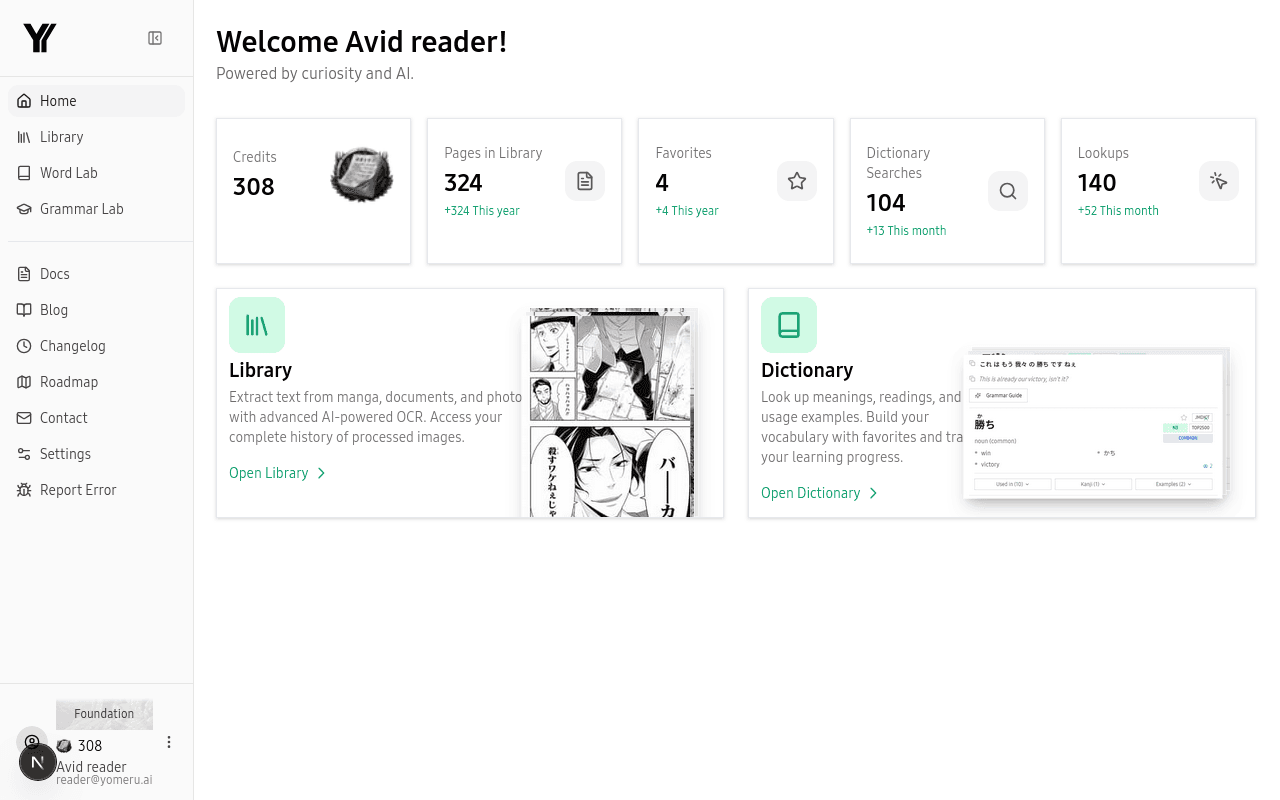 Your dashboard gives you a quick overview of credits, library stats, and recent activity
Quick Start
Create an account, upload a page, and start reading in under five minutes.
Creating Your Account
Sign up with email, magic link, or Google and choose a plan.
Your First Upload
Supported file formats, manga vs. novel mode, and upload tips.
Understanding Credits
How credits work, what is free, and how the plans compare.
How it works — upload, process, and read | yomeru.ai
Upload a manga or novel image, wait 10–30 seconds for OCR, then click any word for readings, meanings, and grammar. Three steps explained.
Quick start: read interactive Japanese in 5 minutes | yomeru.ai
Create an account, upload a manga page, and click your first word — all in about five minutes. Step-by-step walkthrough with screenshots.